

Documentation Index
Fetch the complete documentation index at: https://docs.renesis.fi/llms.txt
Use this file to discover all available pages before exploring further.
Connect Your Wallet
To interact with Renesis Stellar DEX Vaults, you need to connect a Stellar-compatible wallet. Connecting your wallet allows you to sign transactions, manage your assets, and interact with smart contracts securely.Renesis Stellar DEX Vaults has integrated Freighter as the recommended smart wallet for signing and sending Stellar transactions. Freighter also provides full support for Soroban smart contract transactions.
How to Connect
Locate the Button
Click on the “Connect Wallet” button located at the bottom of the main navigation sidebar on the left side of the screen.
Choose Your Wallet
A modal window will appear. In the “Connect to your wallet” section, select Freighter from the list of available options.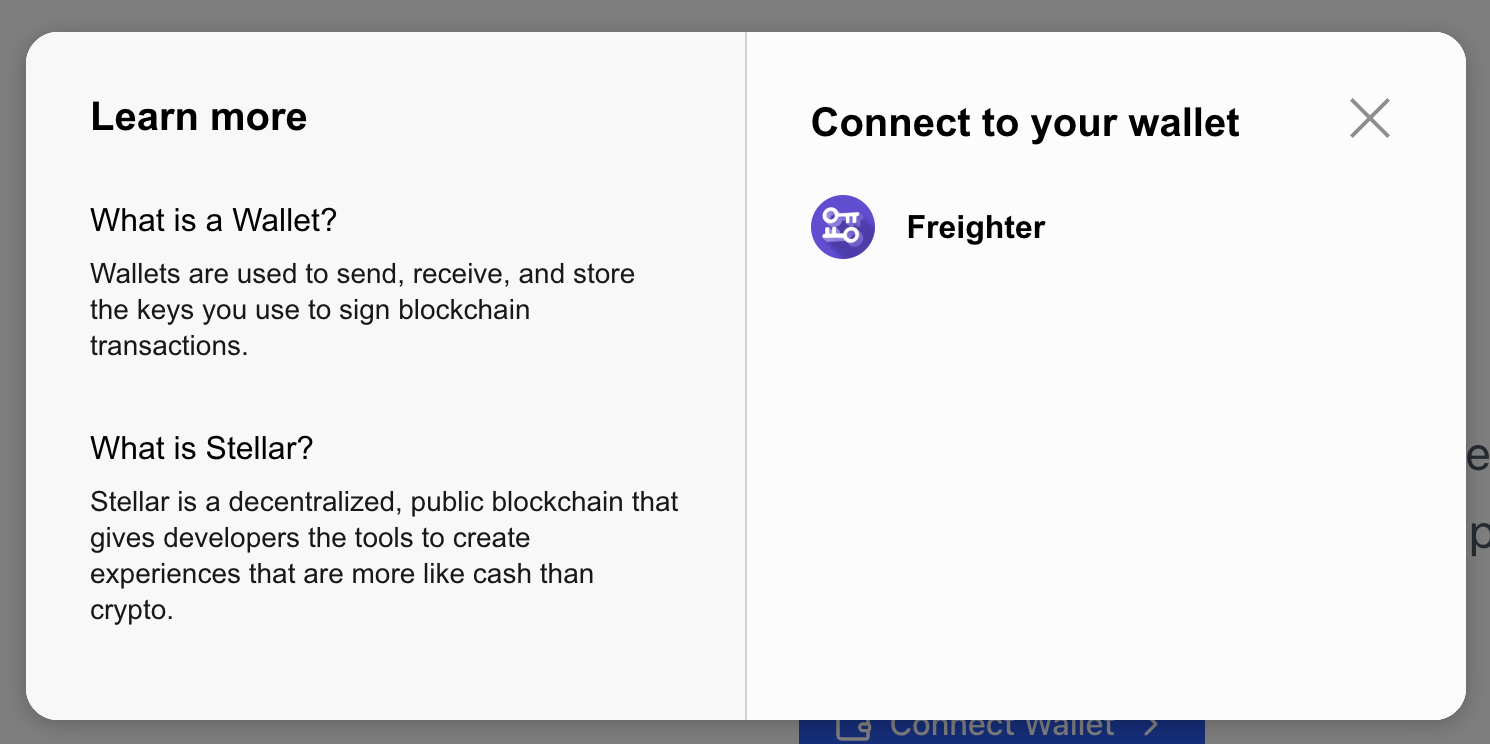
New to Crypto?
If you are new to decentralized applications, this information might be helpful.What is a Wallet?
What is a Wallet?
A wallet is a tool used to send, receive, and store the cryptographic keys that you use to sign blockchain transactions. It is your personal gateway to the decentralized web.
What is Stellar?
What is Stellar?
Stellar is a decentralized, public blockchain that gives developers the tools to create financial services and applications that are more like cash than crypto.